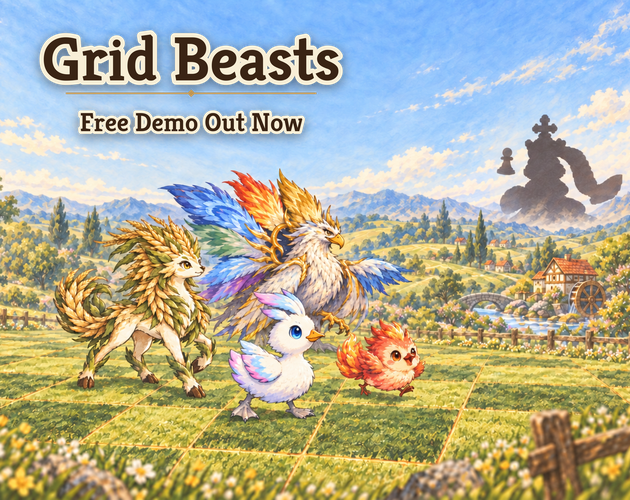
Grid Beasts
A downloadable game for Windows and macOS
Every creature is a chess piece — and no two are alike.
Overnight, the Checkmaster turned every creature in the world into a piece on his board. Gather a party, walk the route through the Evergreen Fields, free the guardian trapped at its end — and find out what the Checkmaster wants with you.
A tactics roguelite where every piece plays differently
- 98 creatures to meet in this demo, each with its own move pattern, attack shape and Trait. Doomfiend teleports after it strikes, Mindwing drags foes to its side, Sunbouquet attacks in two directions at once, Millox moves and hits twice in a single turn.
- Evolution changes the piece, not just the numbers — an evolved creature often moves and attacks in a whole new shape.
- Creatures rewrite the board. Some summon rain, storms, gales or meteor showers; others leave burning ground, static, mud, thorns or mist behind their attacks. Every element reacts to the weather differently.
- One shared timeline. Speed decides who acts next, and hovering a cell shows exactly who can hit it before your next turn.
The road
- Battles, elites, events, campfires and recruit spots on a branching route, with a divine guardian waiting at the end.
- Recruit the creatures you defeat and raise them into their evolved forms.
- When an expedition ends, bring a few companions home to your warehouse for the next run.
- A bestiary for each save, rare shiny creatures, and a built-in tutorial that explains each new weather and tile the first time you see it.
Demo
- Act 1: the Evergreen Fields, ending with one of two divine guardians.
- Languages: English, Simplified Chinese.
- Platforms: Windows, macOS.
Thank you for playing — feedback is very welcome in the comments below!
Download
Install instructions
Installing
- macOS: unzip, then right-click the app → Open the first time (the build isn't notarized yet, so macOS asks before running it).
- Windows: unzip and run the .exe. If SmartScreen appears, click More info → Run anyway.